Wall-Mount vs Surface-Mount Isolator Enclosures: Clearance, Cable Routing, and Handle Access
Use a practical buyer checklist to evaluate wall mount isolator enclosure inputs, documentation, approval controls and the exact weatherproof isolator switch box route.
Choose a wall mount isolator enclosure or surface-mount route by checking the physical service envelope first: where the enclosure fixes, where cables enter, and whether the handle can be reached and operated after surrounding equipment is installed.
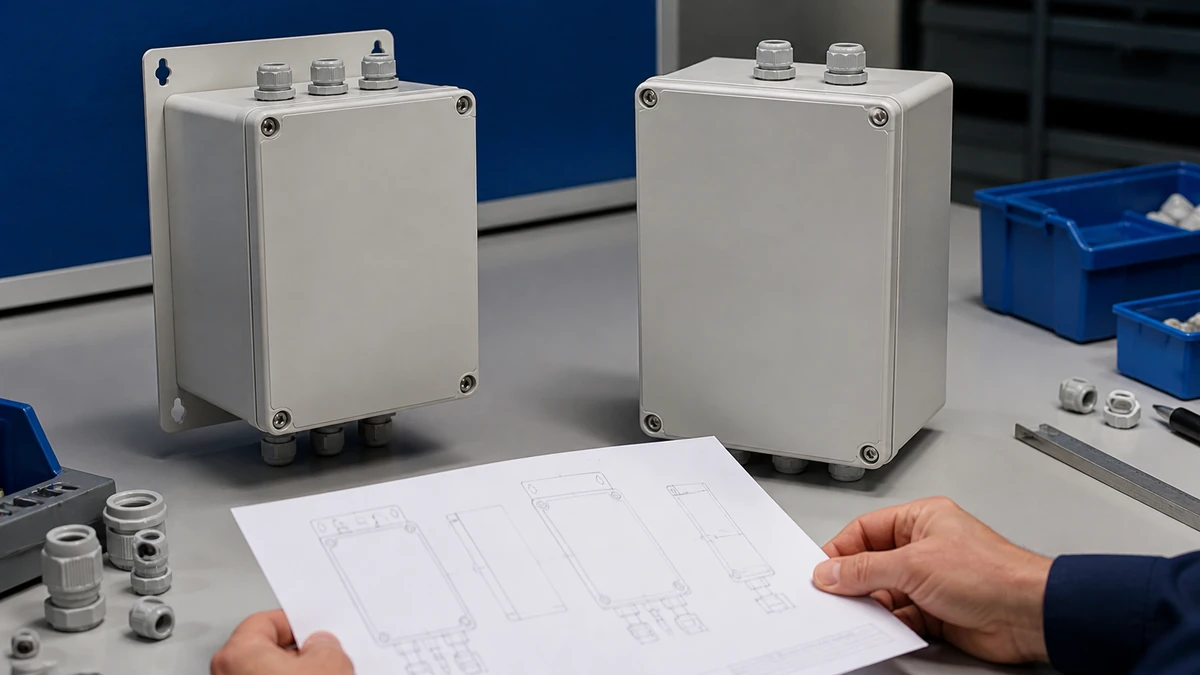
Confirm mounting surface, fixing points, projection depth, door or cover access, and handle sweep before freezing the equipment layout.
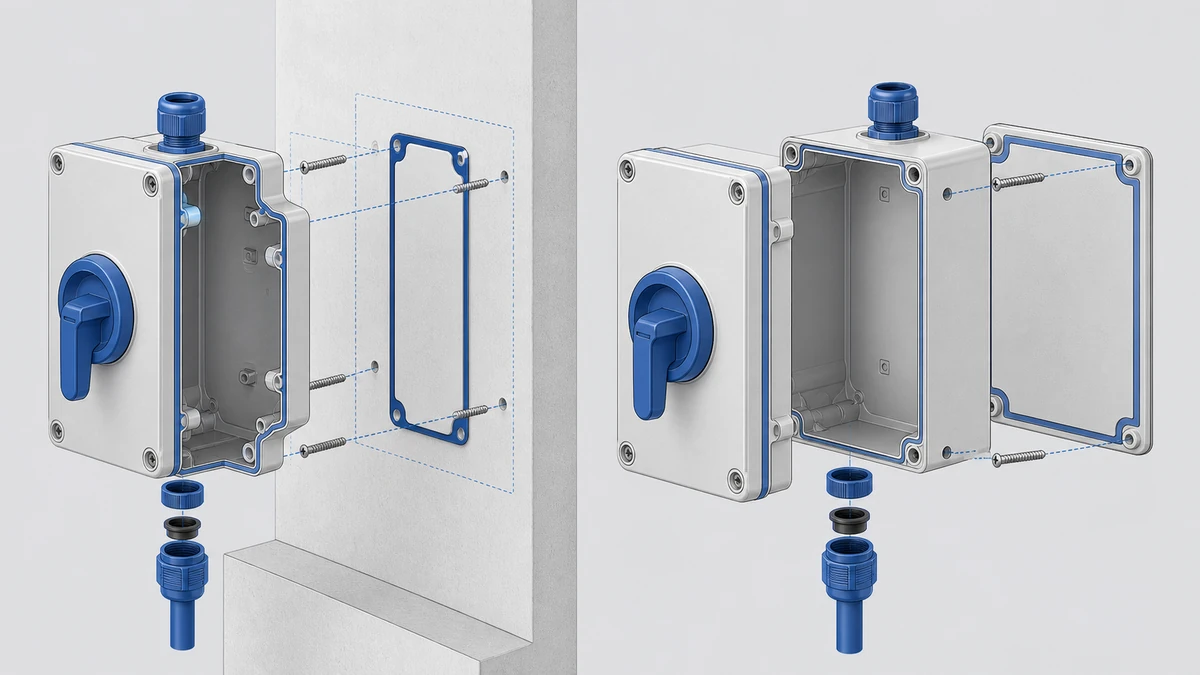
Confirm cable-entry direction, gland or conduit space, gasket path, and bend radius against the exact enclosure drawing.
Ask for the current drawing, datasheet, and applicable certificate package for the exact model and destination-market requirement.
Wall-mount vs surface-mount: choose by service envelope, not by label
Choose the mounting style that preserves mounting strength, cable access, and handle operation in the final equipment layout. The label “wall-mount” or “surface-mount” is useful for procurement, but the drawing decides whether it fits.
An exact drawing identifies the interfaces that must be controlled for the approved model route.
What “wall-mount” usually means in buyer drawings
A wall mount isolator enclosure is typically fixed to a vertical wall, frame plate, skid upright, or equipment backplate. The key question is whether the wall or backplate gives enough room around the enclosure for cover removal, handle movement, cable entry, and inspection.
For outdoor-equipment builders, this route is often considered when the isolator must remain visible and accessible from the service side of the machine. It also keeps the isolator package separate from the main control-panel face, which can help when the panel layout is already crowded.
What “surface-mount” often means in equipment integration
“Surface-mount” is often used when the enclosure is fixed directly to a machine surface, pump skid plate, HVAC unit skin, or cabinet face. This can reduce bracket work, but it makes the enclosure dependent on that surface’s flatness, hole pattern, rear clearance, and surrounding obstructions.
If the surface is thin, curved, ribbed, or already occupied by louvers, guards, pipework, or labels, the surface-mount route needs closer mechanical review. For broad product context without repeating definitions here, see the waterproof isolator box basics.
Buyer decision
Wall-mount route may suit when
Surface-mount route may suit when
Verify before quotation
Service position
A vertical service side is available
The equipment face is the preferred operator location
Handle height, visibility, and access path
Cable approach
Cables approach from below, side, or conduit tray near the wall
Cables pass through or along the equipment surface
Entry direction, gasket route, and internal bend space
Mechanical support
A frame, bracket, or backplate can carry the enclosure
The equipment skin or plate can accept fixing load
Fixing pattern and reinforcement need
Replacement access
Cover removal is possible from the service side
Front access is controlled by the equipment surface
Tool clearance and obstruction check
Clearance around the enclosure decides whether the installation is serviceable
Clearance is acceptable only when the installer can mount the box, route the cables, operate the handle, and remove or inspect the cover as required by the exact model documentation. A layout that fits on a CAD outline can still fail in the field if the handle sweep or cable exit is blocked.
Body, cover, and fixing clearance
Start with the enclosure’s overall height, width, depth, fixing-hole pattern, and projection from the mounting surface. Then add the practical space needed for screw access, cover removal, hinge or lid movement if applicable, and any labels or lockout accessories specified for the selected model.
Do not use only the nominal enclosure size. Use the dimensional drawing for the current model because gasket thickness, handle position, boss locations, and fixing points can vary by design.
Adjacent equipment and service-hand clearance
On HVAC units, pump skids, and outdoor equipment, the isolator enclosure is often near pipework, conduit, filters, panels, guards, or structural rails. These nearby parts can restrict a technician’s hand path even if they do not touch the enclosure body.
Check access with the equipment in its final service condition. Covers, grilles, doors, and removable panels may change the available clearance after installation.
Clearance checklist before releasing the layout:
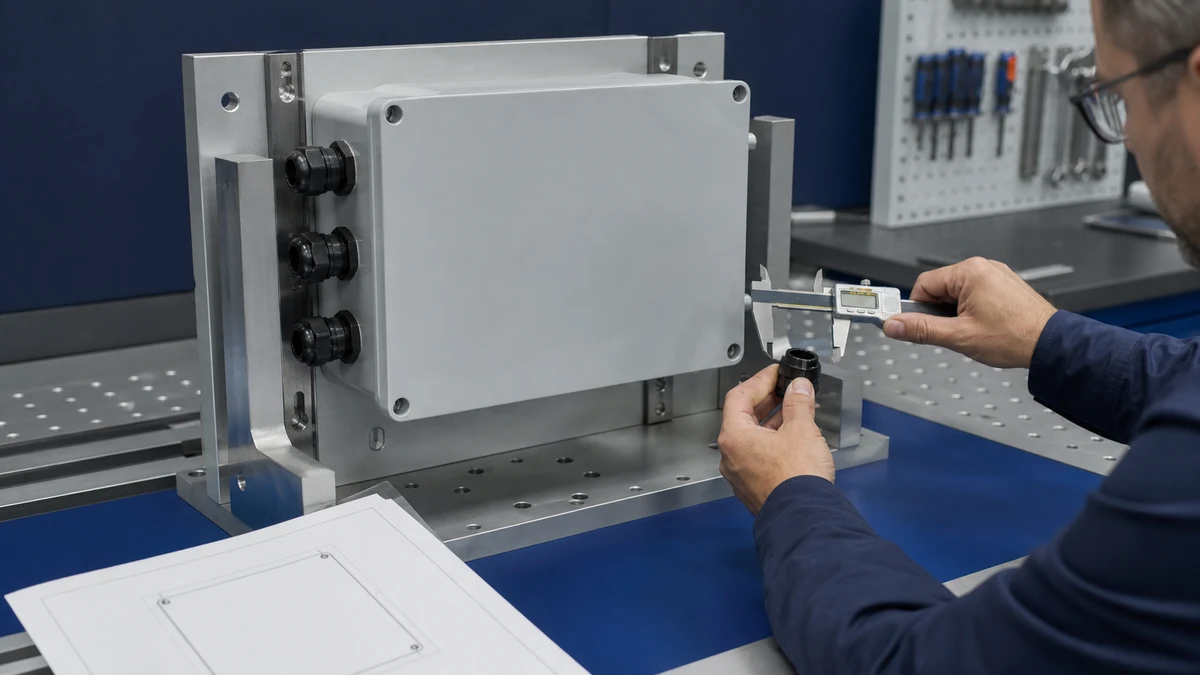
Confirm enclosure overall dimensions and fixing centers from the exact drawing.
Check handle sweep, handle grip space, and any padlock or lockout clearance shown in product information.
Leave tool access for fixing screws and cover screws where applicable.
Confirm the cover can be opened, removed, or inspected without dismantling unrelated equipment.
Check that nearby pipework, ductwork, louvers, guards, and labels do not obstruct operation.
Review the final installed height and viewing angle for the intended operator or service technician.
Cable routing should be chosen before the cut-out, gland, or conduit position is frozen
Select cable entry before finalizing the mounting route because cable approach can decide whether wall-mount or surface-mount is practical. Entry direction affects bend space, gasket compression, drip exposure, conduit alignment, and the ability to keep the handle area clear.
Sample review should connect the exact item to its current drawing and requested evidence package.
Bottom, side, and top-entry decisions
Bottom entry is often considered when cables rise from tray, conduit, or a lower equipment space. It can simplify routing on a vertical wall, but the installer still needs room for glands, conduit fittings, cable bending, and tightening tools.
Side entry can suit equipment where conduit runs horizontally along a frame or skid. Check that the side entry does not interfere with the cover, handle, adjacent enclosures, or mounting bracket.
Top entry may be requested when site conduit approaches from above. That route needs careful review of the exact enclosure, entry hardware, gasket approach, and exposure conditions because the final rating and suitability depend on the product documentation and installation method.
Rear entry and gasket route decisions
Rear entry can keep external cable paths shorter and cleaner, especially on compact equipment faces. However, it requires the mating surface, gasket route, hole alignment, and fixing compression to be reviewed together.
If the rear surface is uneven, painted with heavy texture, ribbed, or interrupted by seams, rear entry may create sealing and mechanical-fit questions. For deeper treatment of entry positions, gasket paths, and handle placement, use the weatherproof switch-box cable-entry guide.
Cable route
Main advantage
Main integration risk
Buyer action
Bottom entry
Often aligns with rising conduit or tray
Insufficient gland and bend clearance below the box
Check bottom free space and cable bend needs
Side entry
Can align with frame-mounted conduit
May clash with cover screws, handle zone, or adjacent equipment
Confirm side face clearance on the drawing
Rear entry
Reduces visible external cable path
Depends on flat mating surface and accurate cut-out
Review gasket route and mounting surface flatness
Top entry
May match overhead conduit
Exposure and sealing route require closer review
Confirm against model documentation and installation method
Cable-routing action list:
Mark the real cable approach on the equipment drawing before selecting enclosure orientation.
Confirm whether entries are factory-provided, buyer-specified, or installer-made for the selected model route.
Check gland or conduit fitting dimensions against available side, top, bottom, or rear space.
Review bend radius using the cable supplier’s data and the exact internal routing space.
Confirm gasket contact surfaces before choosing rear entry or through-surface mounting.
Handle access is the deciding interface between enclosure geometry and the operator
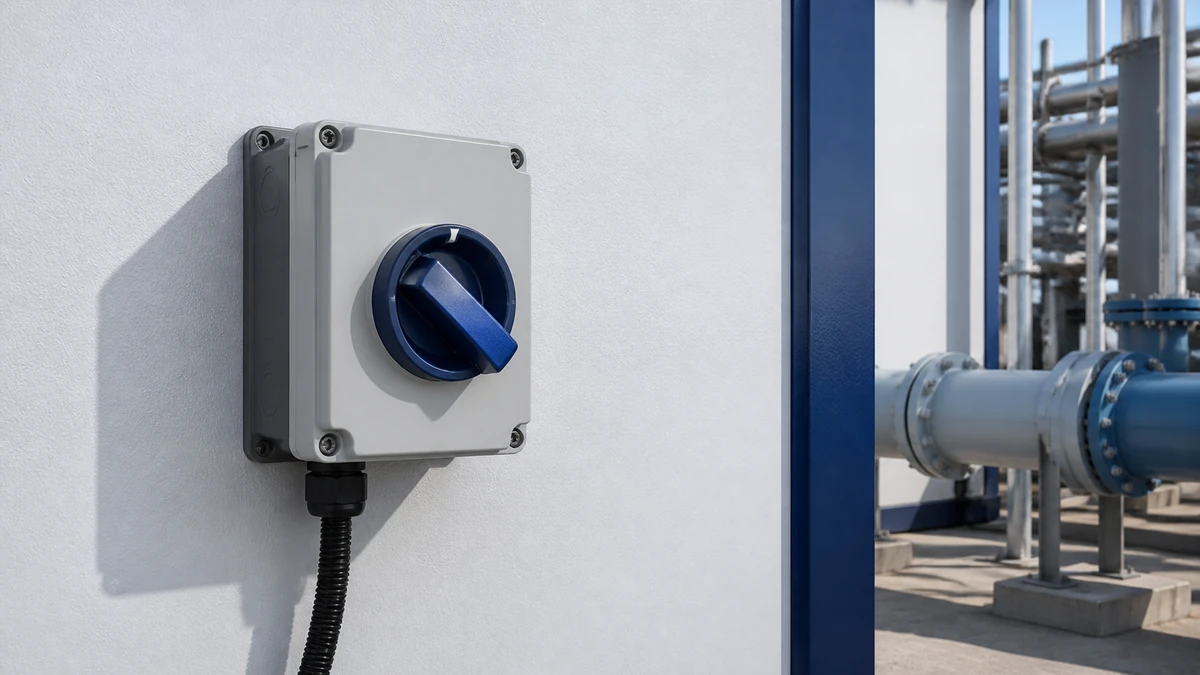
Handle access is acceptable only when the intended user can identify, reach, and operate the handle without obstruction in the final installed position. The enclosure can be correctly mounted and still be commercially unsuitable if the handle is too close to a frame rail, pipe, door edge, or neighboring device.
Handle sweep, grip, and lockout space
Check the handle’s off/on positions, rotation arc, grip depth, and any lockable position shown for the exact model. If padlocking or other lockout hardware is part of the buyer’s procedure, the shackle path and hand clearance must be checked with the enclosure installed, not only on a bench.
Surface-mounted units can be especially sensitive to handle access because nearby machine features may sit in the same plane as the operator. Wall-mounted units can also be restricted if mounted near corners, guard frames, or closely spaced equipment.
Emergency-stop operator boundary
Some builds include emergency-stop style operators near isolator enclosures or on adjacent equipment faces. Selecting an operator, color, or enclosure position does not validate a complete machine safety function.
A complete machine safety function depends on the wider machine design, risk assessment, control architecture, component selection, validation, and destination-market requirements. Treat operator selection and enclosure placement as mechanical-interface decisions unless the complete safety function is being assessed under the buyer’s machine-safety process.
Handle-access checklist:
Confirm handle position and movement from the current drawing or datasheet.
Check the handle can be reached with gloves if that is part of the buyer’s application.
Verify nearby doors, guards, pipes, and louvers do not block operation.
Confirm any padlock or lockout accessory clearance against the exact selected model.
Check visibility of markings and labels after installation.
Do not assume an operator selection validates a complete machine safety function.
IP expectations must be matched to the exact enclosure route and installation
Treat IP as a model-and-installation claim, not as a generic property of the mounting style. Wall-mount and surface-mount routes can both be viable, but the stated rating depends on the exact enclosure, entries, gasket path, accessories, and installation conditions.
What the IP reference does and does not prove
IEC identifies IEC 60529 as the IP Code for degrees of protection provided by enclosures; see the IEC 60529 listing. A rating still depends on the exact product and installation conditions.
That means a procurement line saying “IP65,” “IP66,” or “IP67” should be tied to the exact model documentation, not treated as a universal result for every cable-entry method or mounting surface. For a focused explanation of the terminology, see the IP65, IP66 and IP67 enclosure guide.
Mounting and entry details that affect the IP discussion
Rear entry, field drilling, gasket compression, gland selection, conduit fittings, surface flatness, and cover assembly can all affect whether the installed route matches the documented product condition. Outdoor equipment also adds buyer-specific exposure questions such as wash direction, dust, spray, condensation, sunlight, vibration, and chemical environment.
The practical decision is to ask: “Which documented configuration are we buying, and how will our installation reproduce that configuration?” If the answer is unclear, confirm it before purchase.
IP verification checklist:
State the required IP expectation and destination-market documentation need.
Confirm the exact enclosure model, entry configuration, and gasket route.
Check whether the intended cable-entry hardware is included, specified, or supplied by others.
Review whether the mounting surface supports the documented gasket compression path.
Request current datasheet, drawing, and applicable certificate information for the quoted model.
Confirm final suitability against the buyer’s application and installation method.
How Shieldhz confirms a weatherproof isolator switch box route
Shieldhz confirms the route by matching the mechanical layout, electrical isolation role, exposure conditions, cable-entry method, and documentation request before quotation. The goal is to avoid treating two similar-looking enclosures as interchangeable when their mounting and access details differ.
Installation conditions change the product-route and document questions a buyer must resolve.
Pre-quotation inputs to confirm
For a weatherproof isolator switch box route, the buyer should provide the load and isolation role, AC/DC duty, voltage/current, enclosure exposure, IP requirement, cable entry and gasket route, and mounting and handle access requirement. Photos, layout sketches, or equipment drawings help identify conflicts around frames, pipework, ducting, guards, and service panels.
Shieldhz can then align the request to an available model route or clarify where a drawing review is needed. Buyers comparing options can start from the waterproof isolator box range and then narrow the choice by mechanical integration, not only by headline size.
Requested drawing, datasheet, and certificate package
A practical quotation request should state the requested drawing, datasheet, and certificate package. Certificate availability and relevance depend on the exact product, model route, destination market, and buyer requirement.
Final suitability is confirmed against current product documentation and the buyer’s application. If the installation changes after quotation, especially cable entry, mounting surface, or handle clearance, the route should be reviewed again.
Shieldhz route-confirmation action list:
Define the isolation role in the equipment, without treating the device as overcurrent protection.
State AC or DC duty, voltage, current, and pole configuration requirements.
Describe outdoor exposure and the requested IP level.
Mark cable-entry direction, gasket route, and gland or conduit assumptions.
Confirm mounting surface, fixing direction, handle height, and surrounding obstructions.
Request current drawing, datasheet, and applicable certificate information for the exact model.
Procurement comparison: what to ask before treating two enclosures as equivalent
Do not treat two quoted enclosures as equivalent until the drawing, handle route, cable-entry method, and documentation package have been compared. Similar enclosure sizes can differ in fixing centers, projection depth, gasket layout, handle position, and available entry faces.
Model route and drawing revision
Ask for the exact model reference and current drawing revision used for the quotation. A small change in body depth, cover design, or handle location can affect a tight equipment layout.
If the buyer is considering a specific SH30-style route, use the SH30 weatherproof isolator box guide for model-family orientation, then confirm the exact current documentation before purchasing.
Commercial comparison without false equivalence
A lower quoted price is not useful if the enclosure later needs a bracket redesign, conduit reroute, or access change. Compare what is included in the quoted route and what remains buyer-supplied or installer-decided.
Quotation item
Por que é importante
Ask the supplier
Exact model reference
Prevents buying from a generic description
“Which exact model and revision is quoted?”
Desenho dimensional
Confirms fixing, depth, handle, and access
“Can we review the current drawing before release?”
Cable-entry route
Affects gasket path and installation work
“Which entry direction and entry hardware assumptions apply?”
Folha de dados
Defines model-specific electrical and mechanical information
“Is this the current datasheet for the quoted item?”
Certificate package
Depends on model and destination-market needs
“Which documents are available for this exact model?”
Packaging or accessory scope
Avoids mismatch between quote and site expectation
“What is included and what is supplied by others?”
Procurement review checklist:
Compare drawing-to-drawing, not description-to-description.
Verify handle position and enclosure depth before approving a compact layout.
Confirm cable-entry assumptions in the quotation text.
Check whether requested documents match the exact quoted model.
Record destination-market documentation expectations early.
Avoid substituting a similar box without reviewing mounting and access clearance.
Installation review: clearance, cable route, and handle access should be checked together
Approve installation only after the mounting clearance, cable route, and handle access have been reviewed as one integrated package. These three decisions interact, and changing one can invalidate the others.
Documentation control, sample acceptance and protective packing are separate handover checks.
Field verification before drilling or cutting
Before drilling fixing holes or cutting a rear entry, place the enclosure or template in the intended position and verify the service envelope. If using a CAD model or drawing, cross-check it with the real equipment because installed pipework, ductwork, guards, and labels may differ from early layouts.
Check the handle at all intended positions and confirm that the cable fittings can be installed with available tools. If the enclosure is mounted on a removable cover or service panel, confirm how removal will work after cables are connected.
Handoff between builder, contractor, and distributor
Outdoor-equipment builders, electrical contractors, distributors, and procurement teams often view the same item from different angles. The builder cares about mechanical fit, the contractor cares about installability, the distributor cares about model accuracy, and procurement cares about repeatable ordering.
A simple handoff pack reduces mistakes. Include the selected model, drawing, entry direction, mounting position, IP expectation, required documents, and any buyer-specific notes about handle access or lockout clearance.
Installation handoff action list:
Attach the exact drawing used for layout approval.
Mark cable-entry direction and any rear cut-out position.
Note required handle orientation and access clearance.
Record IP expectation and installation assumptions.
Confirm the datasheet and document package requested for the order.
Recheck the route if the mounting surface, cable path, or surrounding equipment changes.
Conclusion
A wall mount isolator enclosure should be chosen as a mechanical integration decision, not only as an enclosure size or catalogue label. The winning route is the one that keeps the mounting secure, the cable path practical, the gasket route controlled, and the handle accessible in the final equipment layout.
For commercial comparison, ask for the exact model drawing, datasheet, and applicable documentation before treating two options as interchangeable. Final suitability remains dependent on current product documentation, installation conditions, destination-market requirements, and the buyer’s application.
Perguntas frequentes
Is a wall mount isolator enclosure always better than a surface-mount enclosure?
No. A wall-mount route may be better when a vertical service face gives good clearance and cable access, while a surface-mount route may suit compact equipment faces. The better choice depends on the exact drawing, cable route, handle access, and installation conditions.
What is the first clearance dimension to check?
Start with the full service envelope, not just the box size. Check enclosure depth, cover access, fixing-screw access, handle sweep, cable fittings, and the hand space needed around the installed unit.
Can the cable entry be changed after the enclosure is selected?
Sometimes it can, but it should not be assumed. Cable-entry changes can affect gasket route, installation work, available bend space, and documented product conditions, so they should be checked against the exact model documentation.
Does an IP rating apply automatically after installation?
No. An IP statement is tied to the exact product configuration and installation conditions. Cable entries, gasket compression, mounting surface, accessories, and installation method can all affect the final route.
Does selecting an emergency-stop style operator validate machine safety?
No. Selecting an operator or enclosure position does not validate a complete machine safety function. Machine safety depends on the wider risk assessment, control architecture, component selection, validation, and applicable requirements.
What should be included in a quotation request?
Include the load and isolation role, AC/DC duty, voltage/current, exposure, IP requirement, cable-entry route, gasket route, mounting position, handle-access needs, and requested drawing, datasheet, and certificate package for the exact model.
Shi, Muxi
Shi, Muxi escreve artigos técnicos da Shieldhz para compradores de controle industrial e componentes elétricos, abrangendo chaves de came rotativas, chaves isoladoras, seccionadores PV DC, botões de pressão, luzes indicadoras, gabinetes à prova d'água e blocos de terminais. Os artigos são baseados na experiência de fabricação e exportação da Zhejiang Shihe Electric Co., Ltd., com ênfase prática na seleção de modelos, planilhas de dados, desenhos, certificações, classificações de IP e detalhes de consulta que os compradores devem confirmar antes de fazer o pedido.