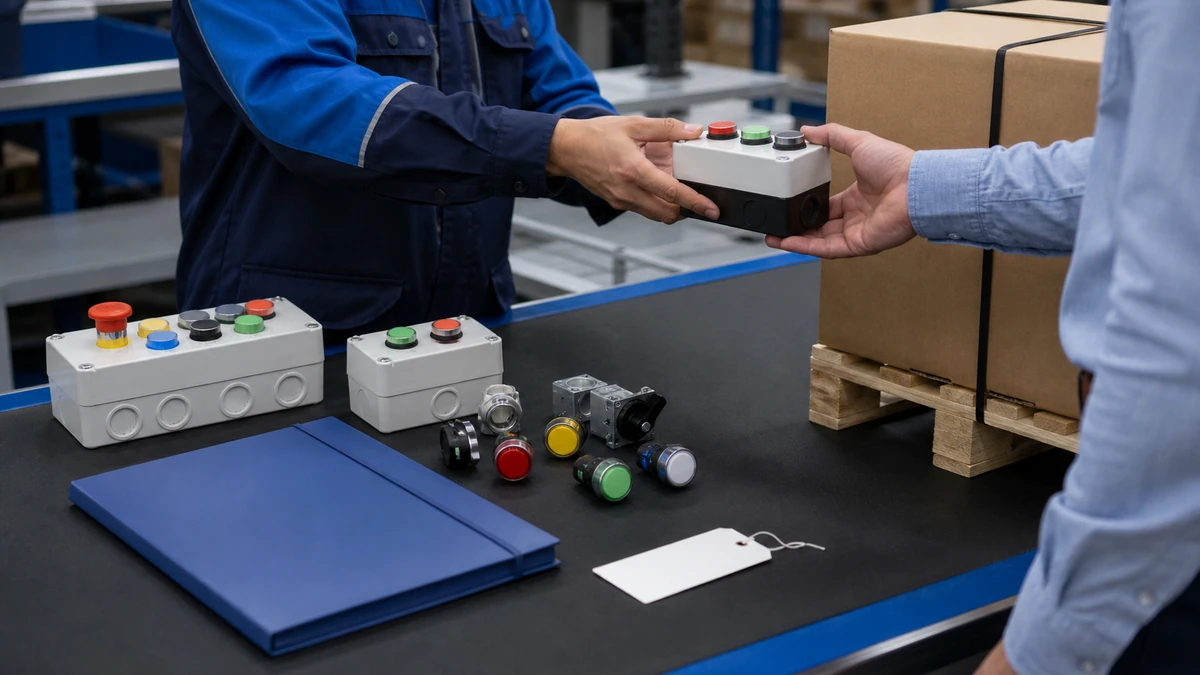
Push Button Station vs Individual Panel Devices: Selecting an Operator Interface Route
Use a practical buyer checklist to evaluate push button station vs panel devices inputs, documentation, approval controls and the exact push button, selector switch or emergency-stop operator route.
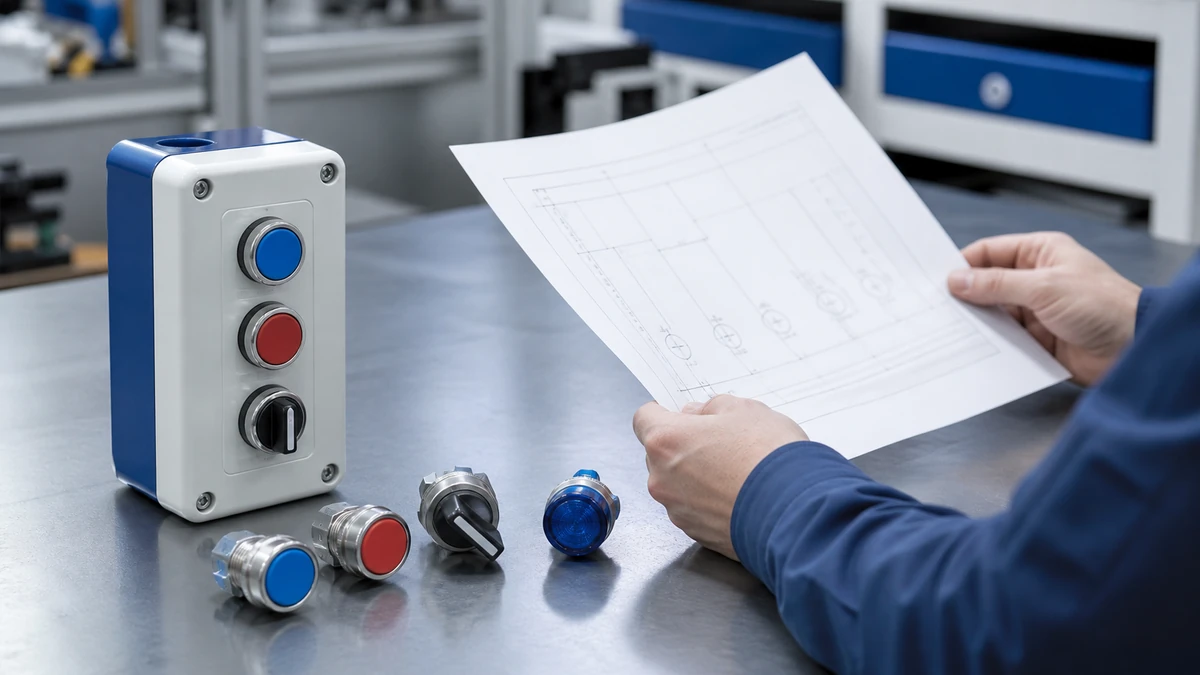
The practical push button station vs panel devices decision is about where the operator interface should live: in its own local enclosure/station, or as individual devices mounted into a machine panel, pendant, or control-cabinet door.
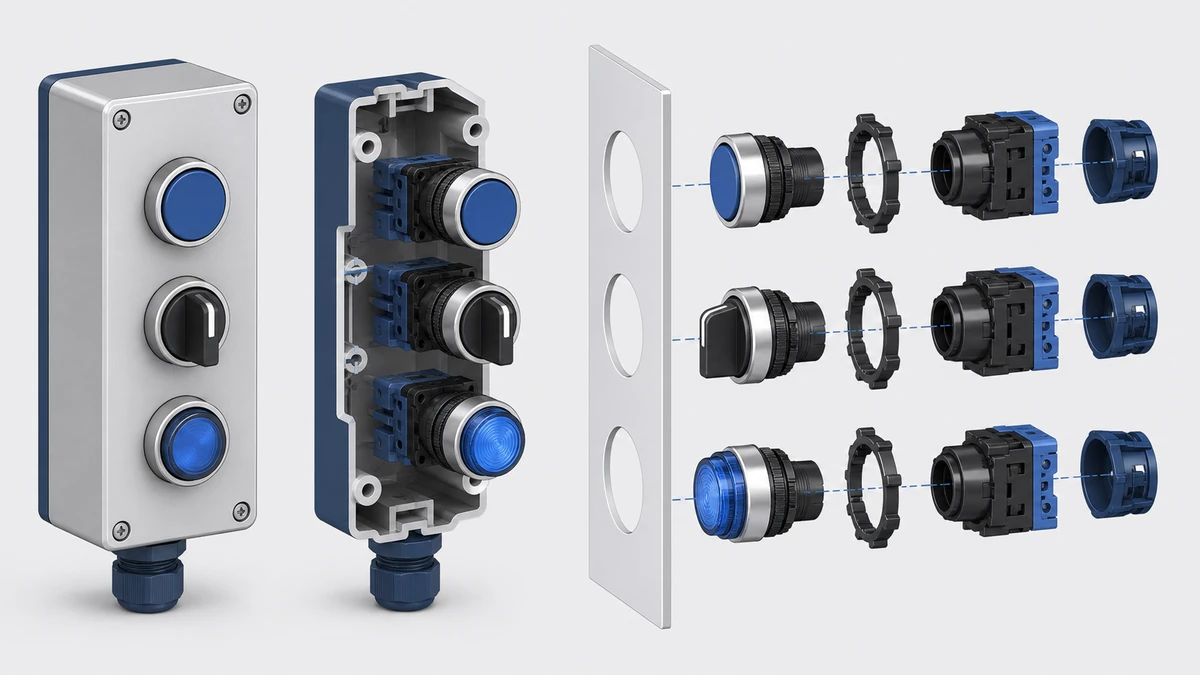
Choose a push button station when you want a purchased local operator subassembly with its own enclosure boundary.
Choose individual panel devices when you need full control over panel layout, cutouts, device mix, legends, and integration with the machine enclosure.
Before quoting, confirm the machine function, destination market, operator actions, contact arrangement, mounting details, environment, and required documentation package.
Choose a station when the operator interface needs its own enclosure
A push button station is usually the better route when the operator interface should be placed away from the main panel or supplied as a defined local station. The key commercial decision is whether the buyer wants an enclosed operator point rather than separate devices installed into an existing panel face.
An exact drawing identifies the interfaces that must be controlled for the approved model route.
When the station route fits
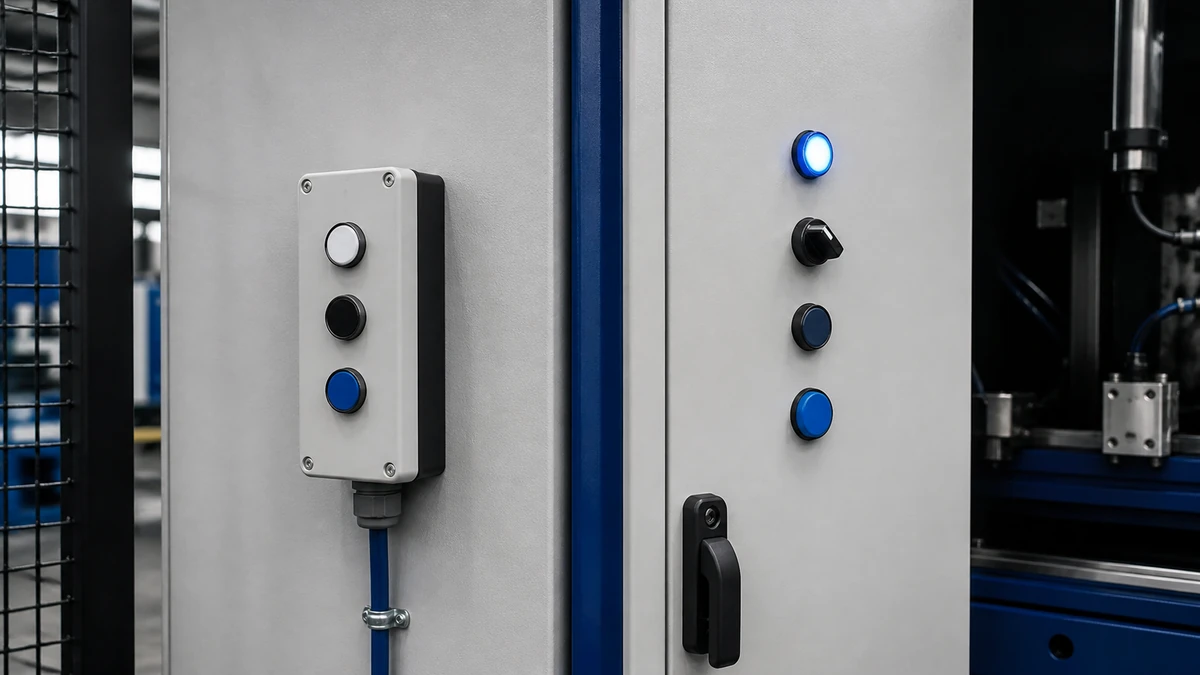
A station route can make sense for conveyors, pumps, packaging cells, service areas, and simple local control points where operators need access at the machine instead of at the main cabinet. The enclosure, operator positions, cable entry approach, legend needs, and installed device mix still depend on the exact model and drawing.
A station may also simplify purchasing when the buyer wants one line item for a local control point. That does not remove the need to verify contact configuration, control voltage/current, mounting method, environmental exposure, and destination-market requirements.
Buyer checklist for station selection
Confirm the number of operator positions required.
Define each function: start, stop, reset, jog, selector, indicator, or emergency-stop operator.
Confirm whether the station is wall-mounted, machine-mounted, handheld, or bracket-mounted.
Check the drawing for enclosure dimensions, entry positions, and mounting holes.
Confirm exact marking, color, and legend requirements.
Request the current datasheet and any applicable certificate package for the exact model.
Choose individual panel devices when layout control is the priority
Individual panel devices are usually the better route when the machine builder controls the enclosure, panel cutouts, device spacing, and full operator layout. This approach gives the panel designer more flexibility, but it also places more integration responsibility on the panel builder.
When panel devices fit better
Panel devices fit well when the interface is part of a larger control-cabinet door, HMI plate, machine fascia, or custom operator console. The buyer can mix push buttons, selector switches, indicator lights, and emergency-stop operators according to the panel drawing.
For product families and available operator categories, use the Shieldhz push button and indicator light range as a starting point, then confirm the exact part number against the current datasheet.
What to lock before cutting the panel
Panel-device selection should be frozen before metalwork or enclosure machining. Cutout diameter, anti-rotation features, device depth, spacing, and legend plate clearance are all drawing-dependent.
Action list for panel-device buyers:
Confirm the panel cutout and material thickness.
Check rear clearance for contact blocks or lamp modules.
Confirm the operator style, color, action, and marking.
Confirm the required contact arrangement and electrical values.
Release only the panel drawing that matches the selected device documentation.
Compare station cost against panel-device integration cost
The lower-price route is not always the lower-total-cost route; the better choice depends on purchasing structure, assembly labor, enclosure work, documentation, and spares policy. A station may reduce some panel-building steps, while individual devices may reduce enclosure duplication when the panel already exists.
Decision table: commercial route comparison
Buyer question
Push button station route
Individual panel-device route
Is a local enclosure needed?
Usually aligned with this need
Usually not, unless the buyer supplies the enclosure
Who controls the layout?
More constrained by station design
More controlled by the panel designer
How is the item purchased?
Often as a station assembly or configured product
As separate operators, contact elements, lamps, and accessories
What drives labor?
Mounting and connection of the station
Panel cutout, assembly, device fit-up, and labeling
What drives documentation?
Station drawing and model documentation
Each device plus the panel drawing and assembly bill
What drives spares?
Station-level and device-level parts
Device-level parts and accessory-level parts
Hidden cost checks
A station can appear simpler commercially, but the buyer still needs to account for bracketry, cable entry, installation position, and documentation review. Individual devices can appear lower in unit cost, but panel work, assembly time, and layout revisions can change the total result.
Procurement checks:
Compare the same number of functions, not just the same number of operators.
Include legends, contact blocks, lamp elements, and mounting accessories in the comparison.
Ask whether the quote is for a finished station, loose devices, or a partially configured set.
Confirm whether drawings and datasheets are included with the quotation package.
Check whether certificates are required for the destination market and exact model.
Decide by operator placement, ergonomics, and maintenance access
The route should follow the operator’s real working position, not just the control-panel design preference. A station works best when local access matters; panel devices work best when the main control surface is the natural operator point.
Sample review should connect the exact item to its current drawing and requested evidence package.
Local operator station considerations
A local station should be placed where the operator can reach it without creating confusion about the controlled function. Position, visibility, marking, and cable routing should be checked against the machine layout drawing.
If the station includes an emergency-stop operator, selecting the operator and enclosure does not validate the complete machine safety function. The safety function must be assessed at the machine level by the responsible designer or integrator.
Panel-face layout considerations
Panel devices allow a controlled visual hierarchy: emergency-stop location, start/stop grouping, selector position, indicator placement, and legends can be arranged on one face. The exact layout should be reviewed for hand access, gloved operation if relevant, and maintenance replacement space.
For layout principles related to emergency-stop and selector placement, use the Shieldhz emergency-stop and selector layout guide as a reference point, then validate the final arrangement against the buyer’s machine risk assessment and documentation.
Match contact arrangement and electrical interface to the control architecture
The enclosure route does not determine the electrical interface; the exact operator, contact arrangement, and control values do. A station and a panel-mounted device can both require careful confirmation of operator action, contact type, and control-circuit loading.
Contact arrangement is a functional decision
The buyer should define whether each function needs normally open, normally closed, or multiple contact elements. The arrangement depends on the machine control design, not on whether the device is mounted in a station or a panel.
Control voltage, current, utilization category, lamp voltage, and contact configuration must be checked on the current datasheet for the exact model. Do not assume that one product family, enclosure type, or operator color implies the same electrical values.
Сайт IEC 60947-5-1 listing in the IEC catalogue describes the control-circuit-device subject area and notes that a more recent edition exists. That catalogue listing should not be treated as a universal product-certification claim for any specific station or device.
Check environment, mounting, and enclosure boundary before selecting the route
The best route depends on where the interface is mounted and what the surrounding environment does to the device. Environmental claims, ingress protection, material suitability, and application fit must be verified against the exact model documentation and buyer application.
Installation conditions change the product-route and document questions a buyer must resolve.
Station environment checks
For a station, verify enclosure material, sealing approach, cable-entry plan, mounting surface, and exposure to washdown, dust, oil mist, impact, vibration, sunlight, or chemicals where relevant. These conditions affect the product route and must be checked against the selected model’s documentation.
A station can be convenient for local mounting, but its enclosure boundary must still match the installation. The drawing should show dimensions, mounting method, and available entry areas before the buyer releases the order.
Panel-device environment checks
For panel devices, the machine enclosure becomes part of the environmental boundary. The device front, panel seal, panel thickness, rear space, and installation quality all affect the finished assembly.
Panel-device buyers should verify:
Panel thickness and cutout accuracy.
Front-side exposure and cleaning method.
Rear-side space and heat conditions.
Indicator lens visibility in the installed position.
Marking durability requirements.
Replacement access after the machine is assembled.
How Shieldhz confirms a push button, selector switch or emergency-stop operator route
Shieldhz confirms the route by matching the buyer’s machine function, installation details, and documentation needs to the exact station or panel-device model before quotation. Final suitability is confirmed against current product documentation and the buyer’s application.
Documentation control, sample acceptance and protective packing are separate handover checks.
Pre-quotation confirmation inputs
Shieldhz typically needs the machine function and destination market first. The destination market matters because documentation, marking, and certificate expectations can vary by buyer and application.
Contact arrangement and number of contact elements.
Panel cutout, mounting style, and available depth.
Environment: indoor, outdoor, dust, water exposure, oil, vibration, cleaning method, or other application factors.
Marking, legend, language, and color requirements.
Required drawing, datasheet, and certificate package for the exact model.
Documentation package confirmation
For panel-device builds, the contact block, lamp element, operator head, and legend plate combination should be confirmed as one configured route. The Shieldhz contact block and legend plate guide helps buyers understand which items must be aligned before releasing a panel drawing.
A quotation should state the selected model route and identify the documents used for confirmation. If the buyer requires certificates, Shieldhz confirms availability against the exact product documentation rather than assuming coverage from a general product category.
Use a decision matrix when procurement, engineering, and maintenance disagree
A decision matrix is the fastest way to align commercial and engineering teams when the interface route is disputed. It turns the station-versus-panel question into controlled trade-offs instead of a preference debate.
Decision table: route selection by buyer priority
Priority
Better starting route
Why it may fit
Local control point away from the cabinet
Push button station
The operator interface has its own enclosure location
Custom cabinet-door layout
Individual panel devices
The panel designer controls spacing, grouping, and device mix
Fast quotation of a defined local function
Push button station
The buyer can specify a station function set
Integration into a larger HMI or control face
Individual panel devices
Devices can be arranged around other controls
Maintenance replacement by device type
Individual panel devices
Spare strategy can be built around selected operators and accessories
Repeated machine option package
Either route
Depends on drawing control, documentation, and purchased assembly scope
High exposure installation
Either route
Must be verified by exact model, enclosure, seal, and application documentation
Cross-functional sign-off checklist
Engineering should confirm the function, layout, control values, and documentation. Procurement should confirm the quotation scope and whether the item is a station assembly or loose devices. Maintenance should confirm access, marking clarity, and replacement strategy.
Sign-off actions:
Mark each function on the machine layout.
Decide whether each function belongs at the local station or main panel.
Confirm device count and operator type.
Freeze cutouts or station mounting dimensions.
Review datasheets and drawings before purchase release.
Store the final model numbers in the machine documentation set.
Avoid these specification mistakes
Most selection errors happen when the buyer treats the station and panel-device routes as interchangeable late in the project. They are not interchangeable once drawings, cutouts, mounting holes, legends, and documentation have been released.
Mistake table: what to catch before ordering
Mistake
Why it causes trouble
How to avoid it
Ordering devices before layout approval
Cutouts or spacing may not match
Freeze the panel or station drawing first
Assuming the same contacts fit every function
Control logic may require different arrangements
Confirm each contact arrangement by function
Treating an emergency-stop operator as the full safety function
The complete machine safety function requires system-level validation
Confirm the operator, then validate the safety function separately
Ignoring destination-market documentation
Required documentation can vary
Confirm certificate and datasheet needs before quotation
Comparing station price to only loose operator price
Accessory, assembly, and enclosure work may be missing
Compare complete route cost
Reusing an old model without review
Product documentation may have changed
Check current datasheet and drawing
Buyer action list before releasing the purchase order
Attach the approved machine or panel layout.
State whether the order is for a station or individual panel devices.
List each operator function and action.
Confirm contact arrangement and control values.
Confirm legends, colors, and marking language.
Request the current drawing, datasheet, and applicable certificate package.
Conclusion
The push button station vs panel devices decision is mainly an enclosure and integration decision. A station suits a defined local operator point with its own enclosure, while individual panel devices suit custom panel layouts and full panel-builder control.
The right route should be confirmed before quotation using the machine function, destination market, operator action, control values, contact arrangement, mounting details, environment, markings, and documentation requirements. For emergency-stop operators, remember that selecting the operator route does not validate the complete machine safety function.
Часто задаваемые вопросы
Is a push button station always faster to buy than individual panel devices?
No. Lead time and purchasing simplicity depend on the exact model, configuration, documentation requirements, quantity, and supplier confirmation process. A station may reduce some assembly decisions, but it still needs drawing and specification review.
Are individual panel devices cheaper than a push button station?
Not necessarily. The correct comparison includes devices, accessories, panel work, legends, documentation, and assembly labor. A lower device price does not automatically mean a lower installed route cost.
Can the same push button be used in a station and in a panel?
Sometimes, but it depends on the product family, mounting system, enclosure design, and documentation for the exact model. The buyer should confirm compatibility using current drawings and datasheets.
Does choosing an emergency-stop operator make the machine safety-compliant?
No. Selecting an emergency-stop operator is only one component decision. The complete machine safety function must be designed, validated, and documented at system level by the responsible machine designer or integrator.
What information should procurement send for an accurate quotation?
Send the machine function, destination market, operator list, contact arrangement, control voltage/current, mounting details, environment, legends, and required drawing, datasheet, and certificate package. Photos or drawings of the intended location can also help clarify the route.
When should the station-versus-panel decision be made?
Make the decision before panel cutouts, enclosure mounting holes, legends, and machine documentation are released. Late changes can affect drawings, assembly work, spare parts, and quotation scope.
Ши, Мукси
Ши, Мукси пишет технические статьи Shieldhz для покупателей промышленных систем управления и электрических компонентов, охватывая поворотные кулачковые переключатели, разъединители, PV DC разъединители, кнопки, индикаторные лампы, водонепроницаемые корпуса и клеммные блоки. Статьи основаны на опыте производства и экспорта компании Zhejiang Shihe Electric Co., Ltd., с практическим акцентом на выборе модели, технических характеристиках, чертежах, сертификации, рейтингах IP и деталях запроса, которые покупатели должны подтвердить перед заказом.