Mushroom Emergency Stop Button: When to Use a Mushroom-Head Operator
Use a practical buyer checklist to evaluate mushroom emergency stop button inputs, documentation, approval controls and the exact push button, selector switch or emergency-stop operator route.
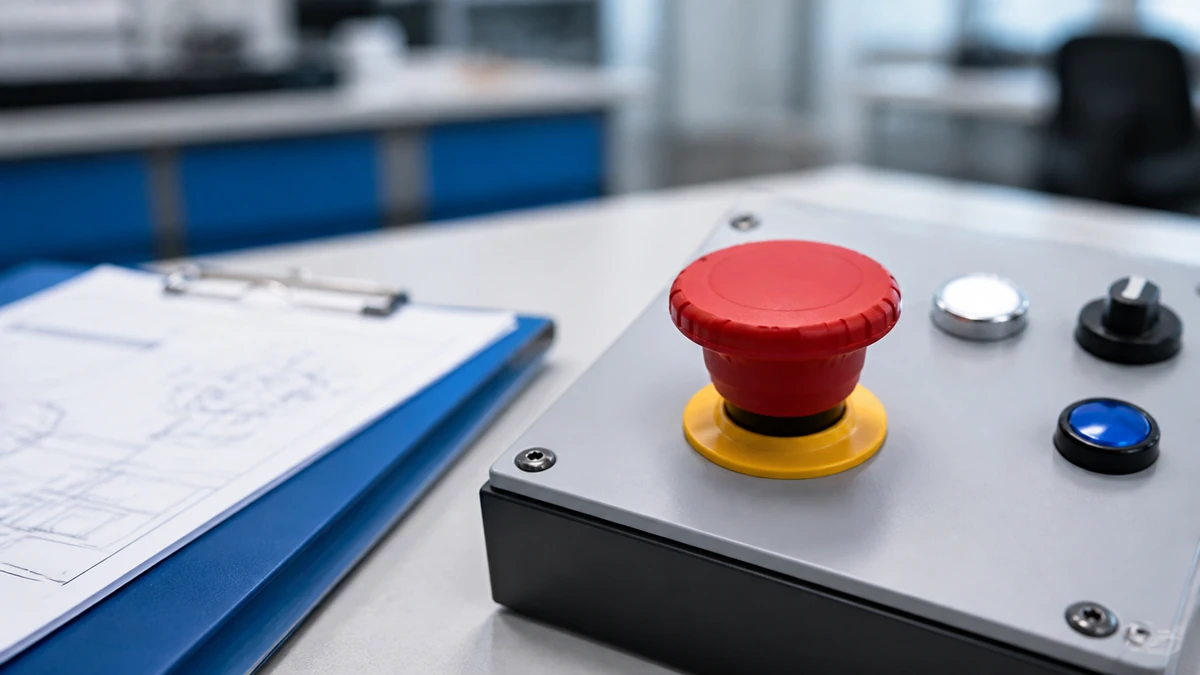
Use a mushroom emergency stop button when the control point must be highly visible, easy to strike quickly, and intentionally reset before normal operation resumes. Treat the mushroom head as an actuator-format decision inside a larger machine control design, not as proof that the complete emergency-stop function is valid.
Confirm the actuator action first: maintained, twist-release, or key-release.
Specify contacts, panel cutout, legend, color, and documentation from the machine schematic and destination market.
Before purchase, check the exact model drawing, datasheet, and certificate package against the buyer’s application.
Use a mushroom emergency stop button when the operator must be obvious, fast to hit and deliberately reset
A mushroom emergency stop button is appropriate when the control station needs a large, protruding actuator that can be identified and operated quickly. The commercial decision is about the operator format, reset method, visibility, and compatibility with the panel design.
O ISO 13850 overview describes ISO 13850 as setting functional requirements and design principles for the emergency-stop function. This article uses that boundary carefully: selecting a mushroom-head operator alone does not prove or validate a complete machine safety function.
What the mushroom head changes
The mushroom head changes how the operator is seen and actuated. Compared with a flush or standard push button, it presents a larger target and a clearer visual control point.
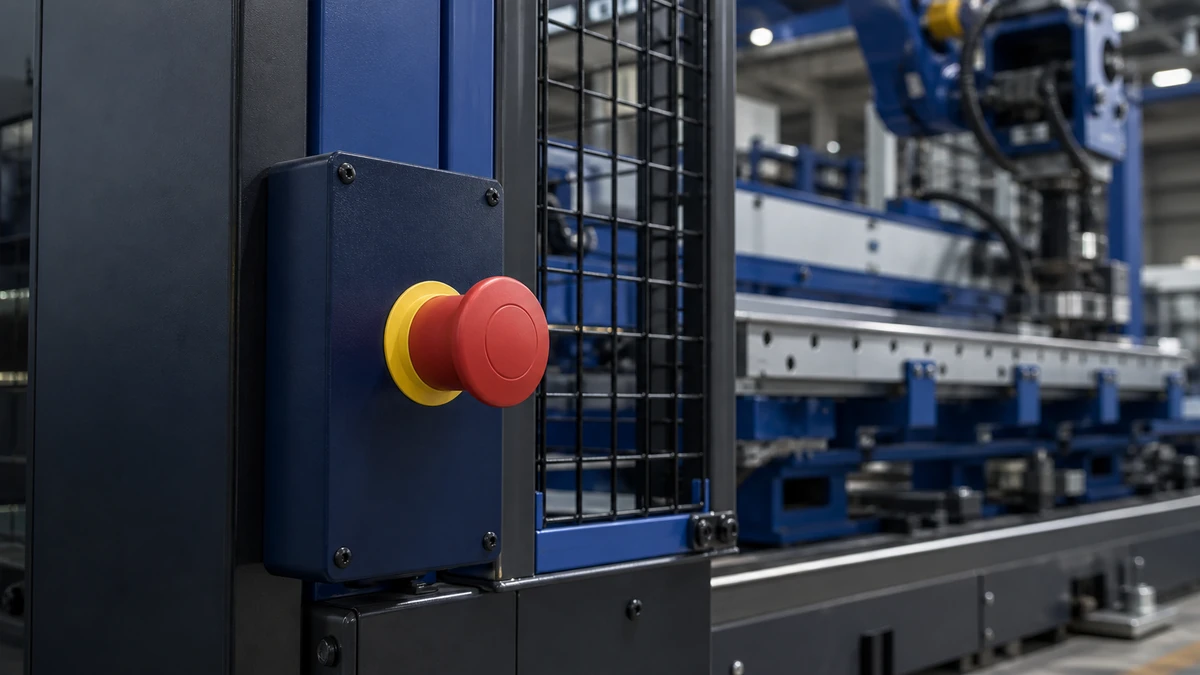
This is useful on machine frames, control panels, local operator stations, conveyor zones, packaging machinery, material-handling equipment, and similar industrial panels where the buyer wants the stop command to stand apart from routine start, jog, or selector controls.
What the mushroom head does not prove
The mushroom-head shape does not define the full circuit architecture, diagnostic approach, risk reduction, or safety validation. Those items depend on the complete machine design, control system, documentation, and applicable destination-market requirements.
A buyer should therefore avoid treating the operator as a standalone safety-performance component. The operator is one specified panel device that must match the machine’s electrical and mechanical design.
Choose the actuator format before selecting contacts, lamps or accessories
Select the mushroom-head actuator style first because it affects visibility, reset behavior, mounting space, and the way the device is used by operators and maintenance teams. Once the actuator route is fixed, contacts, legends, lamps, and documentation can be matched to the exact product series.
For available actuator families and related panel-control products, review the push button and indicator light range before narrowing the quotation route.
An exact drawing identifies the interfaces that must be controlled for the approved model route.
Mushroom head versus standard push button
A mushroom emergency stop button is normally chosen for a distinct stop command, while a standard push button is better suited to routine machine functions such as start, reset, inch, jog, or acknowledge. The difference is not only electrical; it is also visual and ergonomic.
Buyer decision
Mushroom-head operator
Standard push button
Primary use case
Distinct stop or emergency-stop control point
Routine command or signal input
Visual priority
High visual presence on the panel
Lower visual dominance
Actuation style
Large surface for rapid hand actuation
Smaller actuator for regular operation
Reset behavior
Often maintained with deliberate release method, depending on model
Momentary or maintained, depending on model
Specification risk
Must be checked against emergency-stop layout and documentation requirements
Must be checked against routine control function and circuit design
Maintained, twist-release and key-release choices
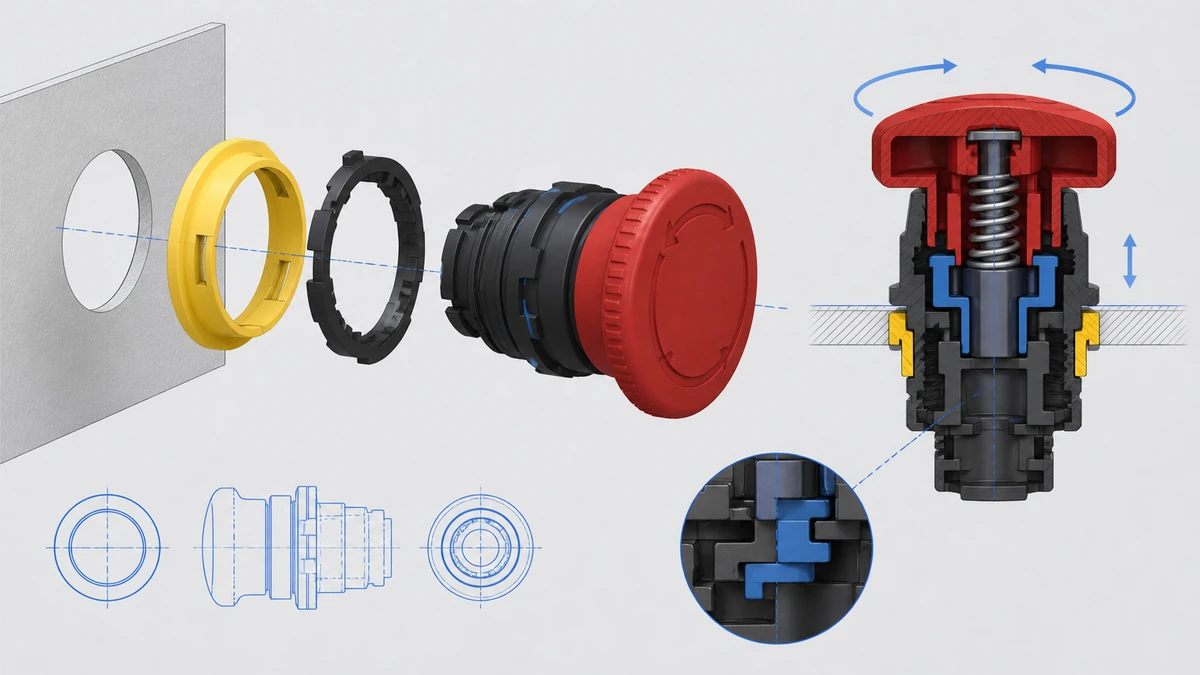
A maintained mushroom operator stays actuated until it is reset by the specified release method. Twist-release and key-release formats are common decision branches, but the exact availability depends on the selected model and series.
Choose the release method based on who is allowed to reset the control point, where the operator is mounted, and how the maintenance procedure is written. Do not assume that changing the reset format leaves the rest of the device specification unchanged.
Specify reset behavior to match the maintenance and operating route
Specify reset behavior from the intended operating procedure, not from appearance alone. The buyer should decide whether reset is a normal operator action or a controlled maintenance action before freezing the part number.
Twist-release reset
Twist-release is typically considered where local operators are expected to restore the actuator after the event has been assessed according to the machine procedure. It is simple to recognize and does not require a key, but it still needs to match the buyer’s control philosophy.
Use this route only after confirming the exact operator action, rotation direction if relevant to the model, contact reset behavior, and legend requirements from current documentation.
Key-release reset
Key-release is considered where the buyer wants reset access to be limited to authorized personnel or a defined maintenance role. It may be useful where restarting control preparation is part of a controlled procedure.
Key format, key retention behavior, key code options, and availability are exact-model dependent. They should be confirmed from the datasheet and quotation documentation before procurement.
Reset-behavior checklist:
Define who is permitted to reset the actuator.
Confirm whether the button must remain latched after actuation.
Select twist-release or key-release based on the maintenance procedure.
Check whether the selected release action changes depth, accessories, or part number.
Confirm that the reset method is reflected in the panel legend and machine documentation.
Confirm the contact arrangement from the control scheme, not from the button shape
Choose the contact arrangement from the electrical schematic and control design. The mushroom-head actuator does not automatically define how many normally closed or normally open contacts are required.
For contact terminology and selection background, use the NO and NC contact guide instead of relying on actuator appearance.
Sample review should connect the exact item to its current drawing and requested evidence package.
Normally closed contact paths
Many emergency-stop control designs use normally closed contact paths, but the quantity, separation, monitoring method, and wiring route are machine-design dependent. The required arrangement should come from the control-system designer’s schematic.
Do not assume that one mushroom button equals one fixed contact configuration. Some applications may require additional contact blocks or a different operator/contact package, depending on the exact device family.
Normally open auxiliary signalling
A normally open auxiliary contact may be specified for signalling, indication, PLC input, or status feedback, depending on the control design. This contact should be treated as an auxiliary function unless the buyer’s validated design states otherwise.
Control requirement
Contact decision to confirm
Documentation to check
Stop command input
Number and type of NC contacts
Electrical drawing and product datasheet
Status signal
Whether an NO auxiliary contact is required
PLC/input schematic and I/O list
Panel indication
Whether contact or lamp accessory is needed
Control panel drawing
Replacement purchase
Exact contact block type and mounting interface
Existing part number, drawing, and datasheet
New build quotation
Complete contact stack and operator part route
Machine schematic and quotation confirmation
Match panel cutout, mounting depth and accessories to the enclosure layout
Confirm the panel cutout, mounting method, and rear-panel depth before selecting the final part number. A mushroom emergency stop button is a visible front-panel device, but many specification errors happen behind the panel.
For accessory coordination, use the contact block and legend plate guide when checking the operator, contact blocks, lamp elements, and marking parts as one assembly.
Installation conditions change the product-route and document questions a buyer must resolve.
Panel cutout and operator series
Panel cutout size is series dependent and must be verified from the current drawing. Do not assume interchangeability between different actuator families, mounting systems, or enclosure designs.
The buyer should confirm panel thickness, cutout diameter, anti-rotation features if used, rear clearance, and spacing from adjacent devices. These factors affect installation and serviceability.
Legend plate, contact block and lamp interface
Legend plates and contact blocks should be matched to the exact operator series. If an illuminated operator or separate indicator is required, confirm the lamp voltage, color, lens style, and wiring method from the datasheet.
Panel-integration checklist:
Confirm cutout size from the exact operator drawing.
Check panel thickness and mounting nut or collar requirements.
Verify rear clearance for contact blocks and wiring access.
Confirm legend plate size, text, language, and color.
Check whether illumination is required and whether the selected model supports it.
Match all accessories to the same product family and revision of documentation.
Plan color, marking and layout so the stop command is not confused with routine controls
Plan the color, marking, and panel layout before ordering because the operator must be recognizable in its installed context. A correct part number can still be poorly specified if the surrounding layout creates confusion.
For placement decisions involving emergency-stop operators and selector controls, use the emergency-stop and selector layout guide as a focused layout reference.
Documentation control, sample acceptance and protective packing are separate handover checks.
Color and marking decisions
Emergency-stop operators are often specified with a red mushroom actuator and a contrasting legend area, but the exact color and marking requirement must be confirmed against the buyer’s machine standard, destination market, and documentation package.
Specify legend wording, symbol requirements, language, plate color, and whether the marking is printed, engraved, or supplied as a separate accessory. These details should be frozen before the purchase order.
Position relative to selector switches
Avoid placing the mushroom emergency stop button where it can be mistaken for a routine stop, mode selector, reset, or start control. The layout should separate high-priority stop commands from normal operating controls.
Layout action list:
Identify every stop, start, reset, jog, and mode-control device on the panel.
Place the mushroom operator where it is visible and reachable for the intended operating position.
Keep routine selectors and process controls visually distinct.
Confirm legend direction and readability after the enclosure is installed.
Review the final panel drawing before releasing procurement.
Check environment and documentation before freezing a part number
Check the installation environment and document package before freezing the part number. Ratings, enclosure compatibility, materials, certificates, and accessories are exact-model and destination-market dependent.
Environment inputs
The same actuator concept can be specified differently for indoor panels, washdown-adjacent areas, dusty zones, outdoor cabinets, or high-cycle operator stations. The buyer should describe the actual enclosure and service environment instead of requesting a generic mushroom button.
Environment input
Por que é importante
Buyer evidence to provide
Panel location
Affects enclosure and operator exposure
Machine layout or enclosure drawing
Dust, moisture, cleaning
Affects sealing and material selection
Environmental description
Ambient conditions
Affects component selection route
Site or machine specification
Operator frequency
Affects mechanical selection review
Duty description
Mercado de destino
Affects document and certificate request
Shipping destination and buyer standard
Replacement or new build
Affects part matching
Existing part number or new schematic
Document inputs
A commercial quote should be based on a defined document set. At minimum, the buyer should request the current drawing and datasheet for the exact model under consideration.
Certificate needs should be stated early and tied to the destination market and buyer application. Availability and content of certificates depend on the exact model and current documentation package.
Documentation checklist:
Exact product model or required function route.
Current mechanical drawing.
Electrical datasheet for contacts and lamp elements, if used.
Accessory list for legend plates, contact blocks, and mounting parts.
Certificate package required by destination market or buyer standard.
Any customer drawing, approval form, or panel-builder specification.
How Shieldhz confirms a push button, selector switch or emergency-stop operator route
Shieldhz confirms the operator route by checking the buyer’s function, mechanical fit, electrical configuration, marking, and documentation requirements before quotation. Final suitability is confirmed against current product documentation and the buyer’s application.
The confirmation process starts with the machine function and destination market. Shieldhz then checks whether the buyer needs a push button, selector switch, or mushroom emergency-stop operator, and whether the operator action is momentary, maintained, twist-release, or key-release.
The buyer should also provide control voltage/current, contact arrangement, panel cutout and mounting requirements, environment, and marking or legend requirements. These inputs prevent a quote from being based only on a product photo or incomplete description.
Pre-quotation action list:
State the machine function and where the control point is installed.
Identify the destination market and any buyer-specific document requirements.
Confirm the required operator action.
Provide control voltage and current for contacts or lamp elements.
Specify NC and NO contact arrangement from the schematic.
Confirm panel cutout, panel thickness, mounting style, and rear clearance.
Describe the environment around the installed enclosure.
Provide marking, legend, color, and language requirements.
Request the exact drawing, datasheet, and certificate package for the proposed model.
Documentation package to request
For a controlled purchase, request the exact drawing, datasheet, and certificate package tied to the quoted model. If accessories are included, the package should also identify the matching contact blocks, legend plates, lamp elements, and mounting parts.
The final purchase decision should compare those documents with the buyer’s machine drawing, panel layout, control schematic, and destination-market requirements. If any of those inputs change, the part route should be reconfirmed.
Conclusion
A mushroom emergency stop button is best selected as an actuator-format and specification decision: large visible head, deliberate reset, correct contact arrangement, compatible mounting, clear marking, and current documentation. It should not be treated as proof that a complete machine emergency-stop function has been validated.
For procurement and engineering teams, the safest commercial route is to quote from the actual machine schematic, panel drawing, operating procedure, and destination-market document needs. Confirm the exact model, accessories, drawing, datasheet, and certificate package before releasing the purchase order.
Perguntas frequentes
Is a mushroom emergency stop button the same as an emergency-stop function?
No. The mushroom emergency stop button is a panel operator used within a wider control design. The complete emergency-stop function depends on the machine design, circuit architecture, validation, documentation, and applicable requirements.
When should I choose key-release instead of twist-release?
Choose key-release when the buyer’s operating or maintenance procedure requires controlled reset access. Confirm key behavior, availability, and documentation from the exact model datasheet before ordering.
Do all mushroom emergency stop buttons use the same panel cutout?
No. Panel cutout, mounting depth, anti-rotation features, and accessory interfaces depend on the product series and exact model. Always check the current mechanical drawing.
Can a mushroom emergency stop button be illuminated?
Some product routes may support illumination, while others may not. If illumination is needed, confirm lamp voltage, color, contact and lamp arrangement, and accessory compatibility from the exact datasheet.
How many NC or NO contacts should be specified?
The required NC and NO contacts should come from the machine schematic and control design. Do not select contact quantity based only on the mushroom-head shape.
What should procurement request before placing an order?
Procurement should request the exact part number route, mechanical drawing, electrical datasheet, accessory list, and required certificate package. The buyer should then compare those documents with the panel drawing, schematic, environment, and destination-market requirements.
Shi, Muxi
Shi, Muxi escreve artigos técnicos da Shieldhz para compradores de controle industrial e componentes elétricos, abrangendo chaves de came rotativas, chaves isoladoras, seccionadores PV DC, botões de pressão, luzes indicadoras, gabinetes à prova d'água e blocos de terminais. Os artigos são baseados na experiência de fabricação e exportação da Zhejiang Shihe Electric Co., Ltd., com ênfase prática na seleção de modelos, planilhas de dados, desenhos, certificações, classificações de IP e detalhes de consulta que os compradores devem confirmar antes de fazer o pedido.